> ## Documentation Index
> Fetch the complete documentation index at: https://stackone-hub-int-8679-hris-ukgprowfm-integration-user-manag.mintlify.site/llms.txt
> Use this file to discover all available pages before exploring further.

# Workday Rejected Reasons Configuration

> To configure the rejected reasons in workday job applications

<Warning>
  This guidance assumes that you have admin privileges for your Workday account.
</Warning>

<Steps>
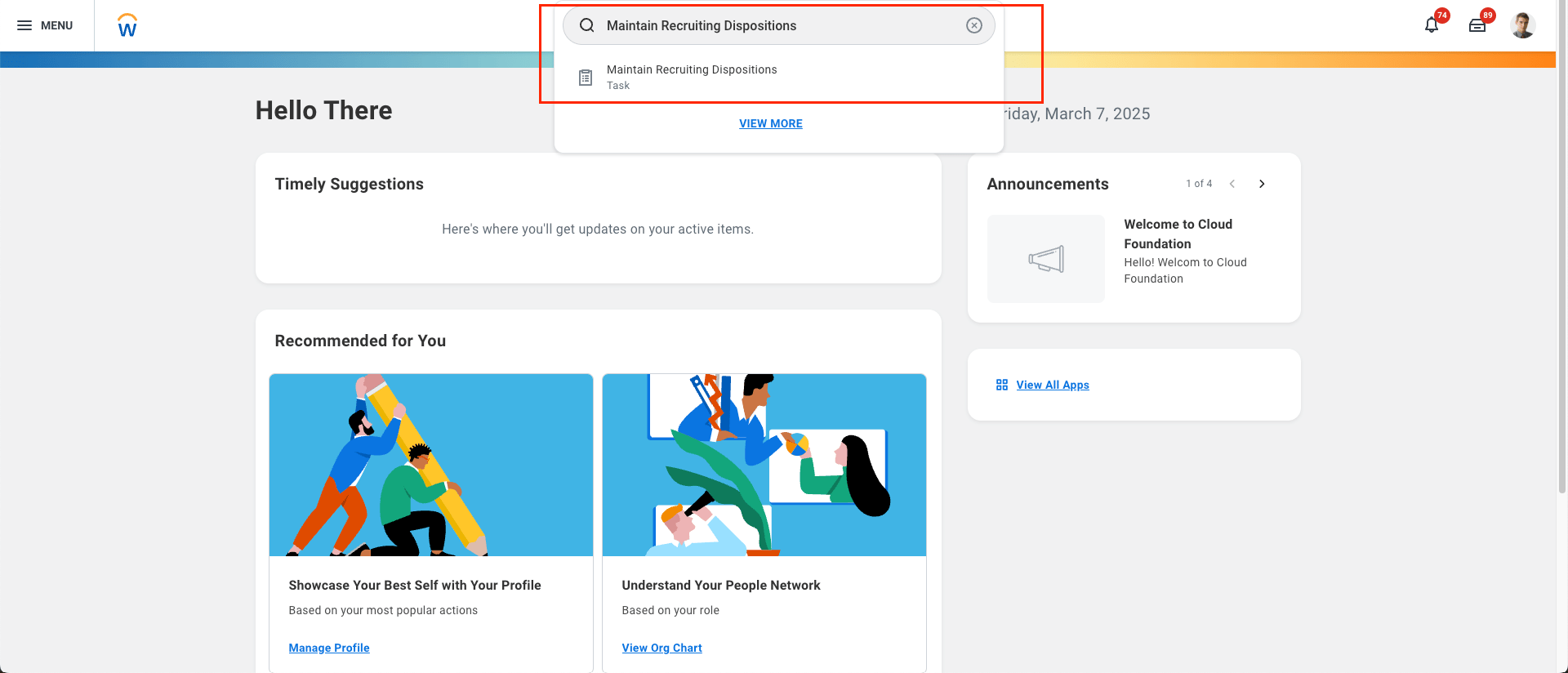
  <Step title="Log in to your Workday account and search for the Maintain Recruiting Dispositions task">
    <Frame>
      <img className="rounded-md" style={{ margin: '0 auto', border: '1px solid #efefef' }} alt="Add Webhook" src="https://mintcdn.com/stackone-hub-int-8679-hris-ukgprowfm-integration-user-manag/or4ZnScXe-06XWi-/images/workday-rejected-reasons-configuration/workday-reject-1.png?fit=max&auto=format&n=or4ZnScXe-06XWi-&q=85&s=0bbb242695a2cade2d561582da86f7d4" width="1920" height="824" data-path="images/workday-rejected-reasons-configuration/workday-reject-1.png" />
    </Frame>
  </Step>

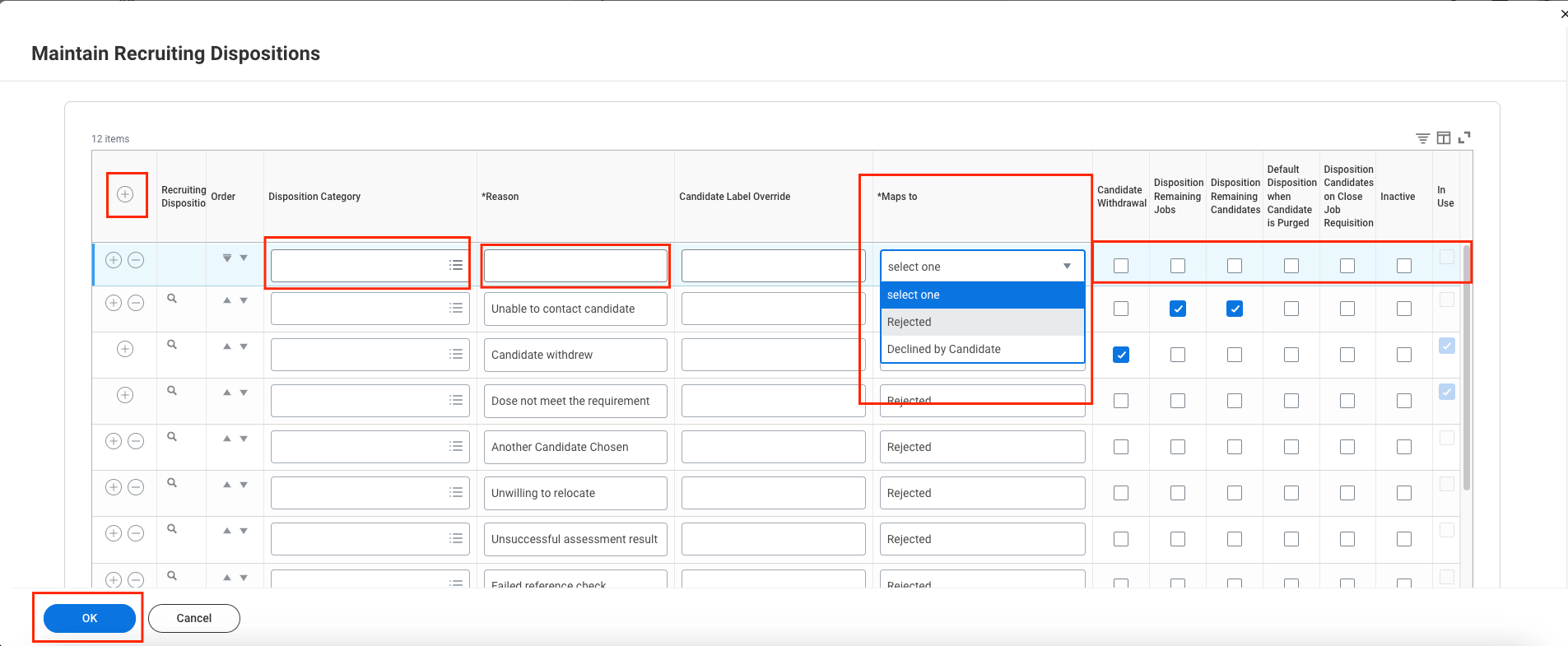
  <Step title="Fill in the required details to add a new Disposition Category (Rejected Reason), then click the OK button.">
    <Frame>
      <img className="rounded-md" style={{ margin: '0 auto', border: '1px solid #efefef' }} alt="Edit Events" src="https://mintcdn.com/stackone-hub-int-8679-hris-ukgprowfm-integration-user-manag/or4ZnScXe-06XWi-/images/workday-rejected-reasons-configuration/workday-reject-2.png?fit=max&auto=format&n=or4ZnScXe-06XWi-&q=85&s=984ceebfd35539b497ad7a7f14887daa" width="1905" height="785" data-path="images/workday-rejected-reasons-configuration/workday-reject-2.png" />
    </Frame>
  </Step>

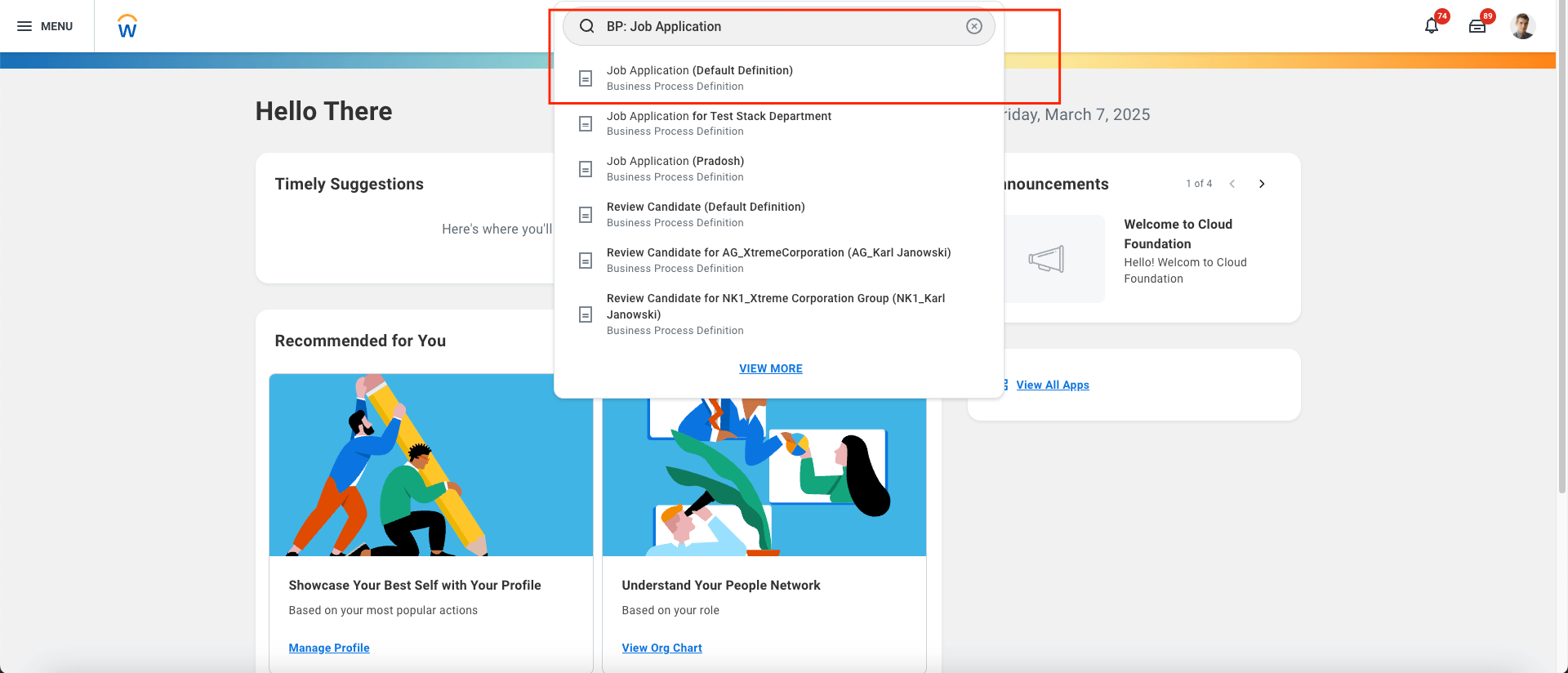
  <Step title="Search for the BP: Job Application task and select Job Application (Default Definition).">
    <Frame>
      <img className="rounded-md" style={{ margin: '0 auto', border: '1px solid #efefef' }} alt="Search IS" src="https://mintcdn.com/stackone-hub-int-8679-hris-ukgprowfm-integration-user-manag/or4ZnScXe-06XWi-/images/workday-rejected-reasons-configuration/workday-reject-3.png?fit=max&auto=format&n=or4ZnScXe-06XWi-&q=85&s=53db1d6b63f76aa692d0f424172b275c" width="1920" height="824" data-path="images/workday-rejected-reasons-configuration/workday-reject-3.png" />
    </Frame>
  </Step>

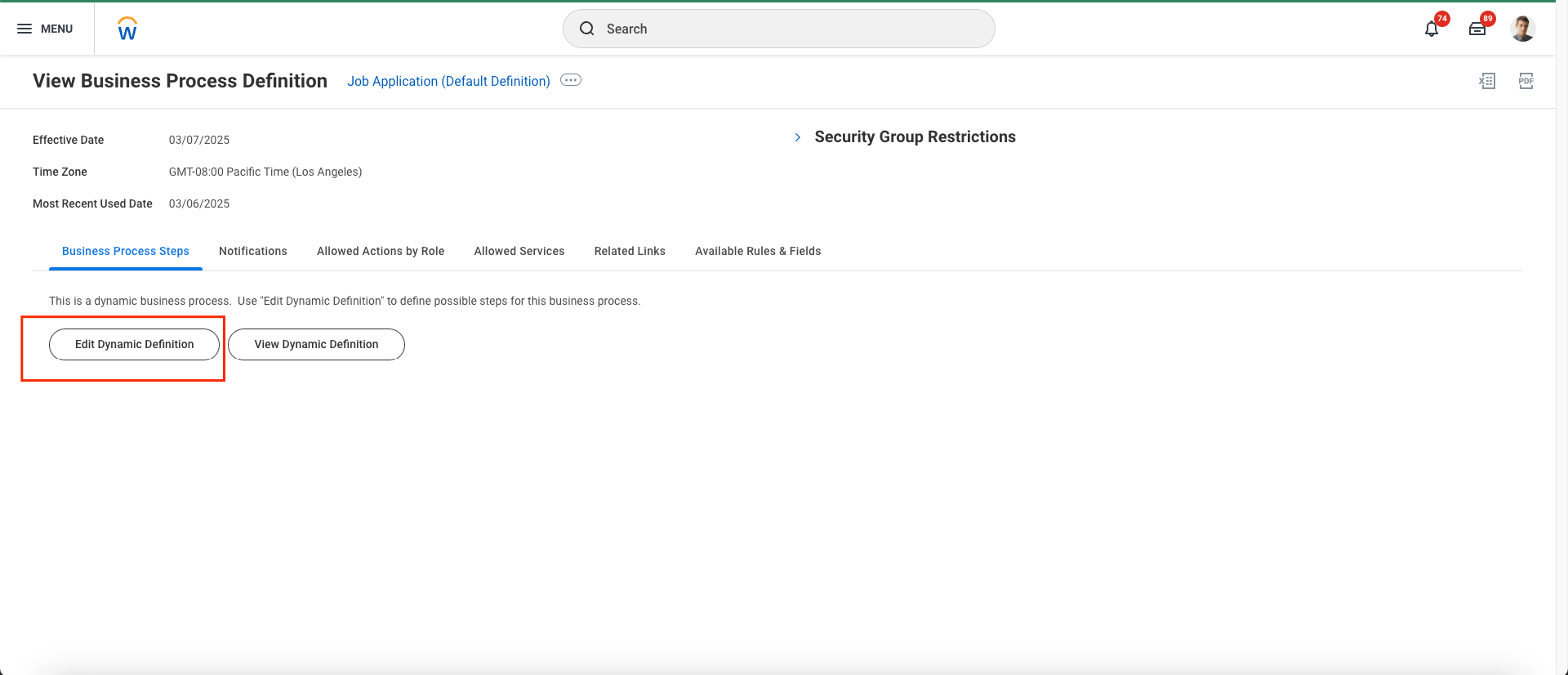
  <Step title="Click on the Edit Dynamic Definition button.">
    <Frame>
      <img className="rounded-md" style={{ margin: '0 auto', border: '1px solid #efefef' }} alt="Endpoint Attribute" src="https://mintcdn.com/stackone-hub-int-8679-hris-ukgprowfm-integration-user-manag/or4ZnScXe-06XWi-/images/workday-rejected-reasons-configuration/workday-reject-4.png?fit=max&auto=format&n=or4ZnScXe-06XWi-&q=85&s=b7b46ca973c66cff3ae7559d3f609ec8" width="1920" height="826" data-path="images/workday-rejected-reasons-configuration/workday-reject-4.png" />
    </Frame>
  </Step>

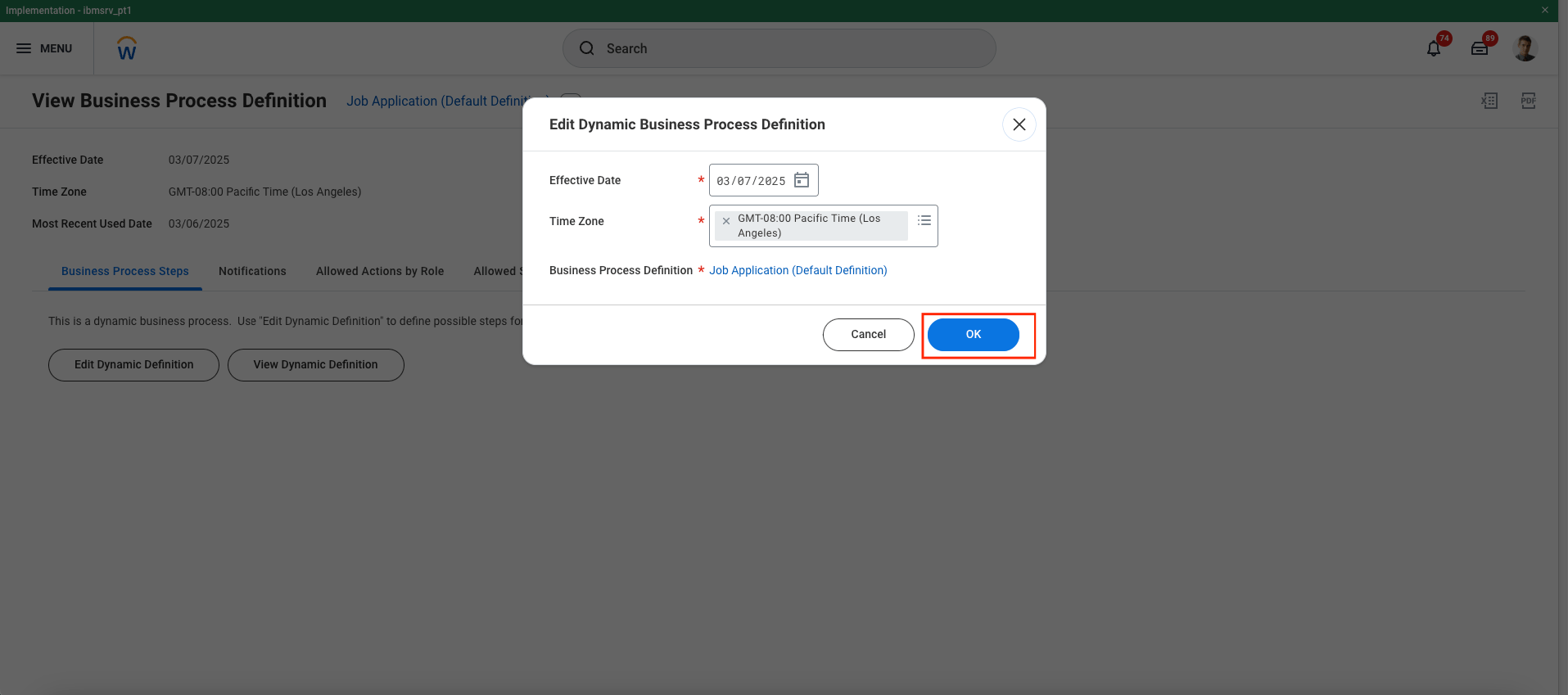
  <Step title="A pop-up will appear. Click the OK button.">
    <Frame>
      <img className="rounded-md" style={{ margin: '0 auto', border: '1px solid #efefef' }} alt="Endpoint Attribute" src="https://mintcdn.com/stackone-hub-int-8679-hris-ukgprowfm-integration-user-manag/or4ZnScXe-06XWi-/images/workday-rejected-reasons-configuration/workday-reject-5.png?fit=max&auto=format&n=or4ZnScXe-06XWi-&q=85&s=0b32db0d1d230abc4c4426e35ccaf0d7" width="1915" height="849" data-path="images/workday-rejected-reasons-configuration/workday-reject-5.png" />
    </Frame>
  </Step>

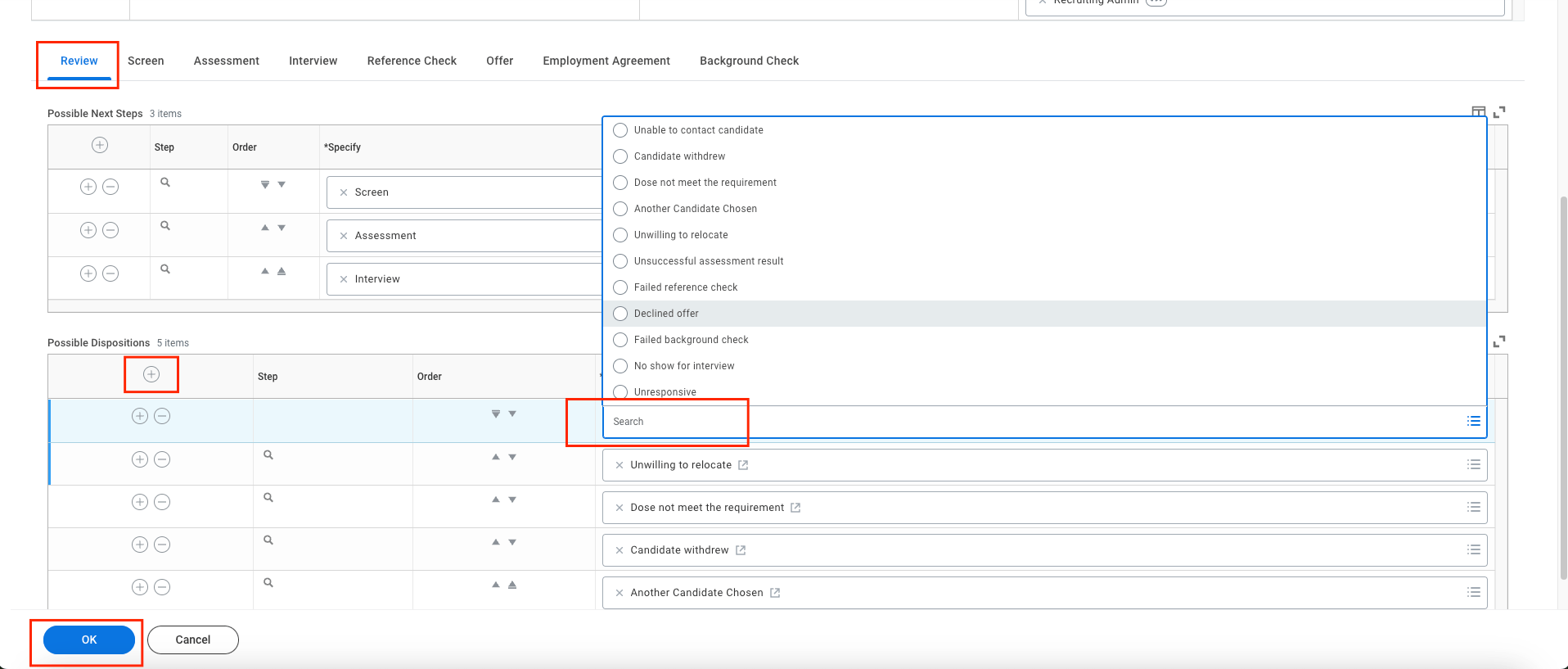
  <Step title="Select the stage, add a new row by clicking the + icon, choose the possible disposition for the chosen stage of the application, and click the OK button.">
    <Frame>
      <img className="rounded-md" style={{ margin: '0 auto', border: '1px solid #efefef' }} alt="Endpoint Attribute" src="https://mintcdn.com/stackone-hub-int-8679-hris-ukgprowfm-integration-user-manag/or4ZnScXe-06XWi-/images/workday-rejected-reasons-configuration/workday-reject-6.png?fit=max&auto=format&n=or4ZnScXe-06XWi-&q=85&s=81af6e5994352124f616bfa888da9c8c" width="1916" height="817" data-path="images/workday-rejected-reasons-configuration/workday-reject-6.png" />
    </Frame>
  </Step>

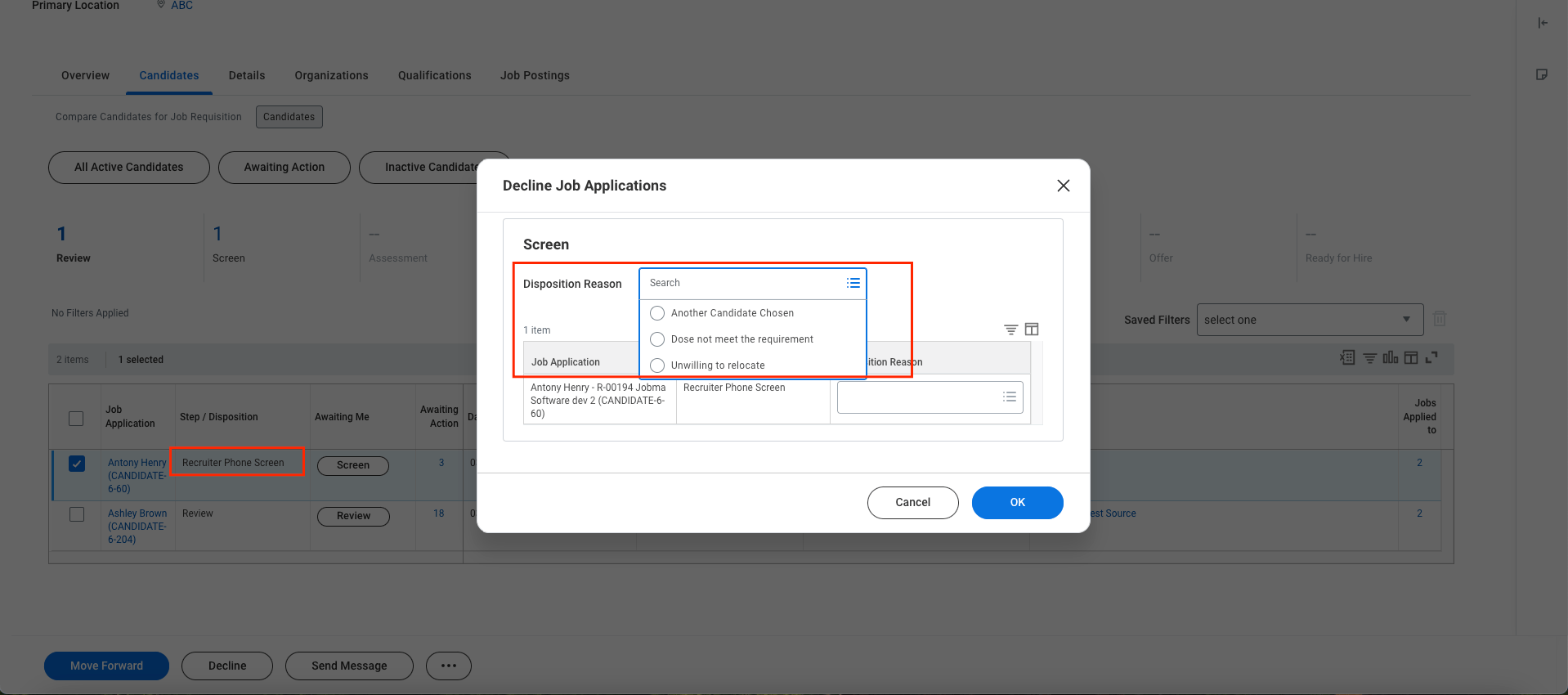
  <Step title="When you decline a candidate from any stage, you will see the dispositions/rejected reasons that are configured for that specific stage.">
    <Frame>
      <img className="rounded-md" style={{ margin: '0 auto', border: '1px solid #efefef' }} alt="Endpoint Attribute" src="https://mintcdn.com/stackone-hub-int-8679-hris-ukgprowfm-integration-user-manag/or4ZnScXe-06XWi-/images/workday-rejected-reasons-configuration/workday-reject-7.png?fit=max&auto=format&n=or4ZnScXe-06XWi-&q=85&s=7c981164b92ce1f0b12094887184ebb7" width="1918" height="850" data-path="images/workday-rejected-reasons-configuration/workday-reject-7.png" />
    </Frame>
  </Step>
</Steps>